Forgetting a password at 6 a.m. before a 12-hour shift is nobody’s idea of a good morning. If you work for Hackensack Meridian Health and rely on Smart Square to check your schedule, request time off, or grab an open shift, a smooth login isn’t a nice-to-have it’s part of getting your day started on time.
This guide walks through exactly how the Smart Square HMH login works, what to do when it doesn’t, and how to get the most out of the platform once you’re in.
What Is Smart Square HMH?
Smart Square is a workforce management and scheduling platform built by Avantas, a company that specializes in healthcare staffing software. Hackensack Meridian Health (HMH) one of New Jersey’s largest healthcare networks uses it to manage schedules for nurses, technicians, and other clinical staff across its hospitals and facilities.
In plain terms: it’s the system HMH employees use to see when they’re working, ask for shift changes, request time off, and stay updated on staffing needs, all from a browser or mobile device.
How to Log In to Smart Square HMH
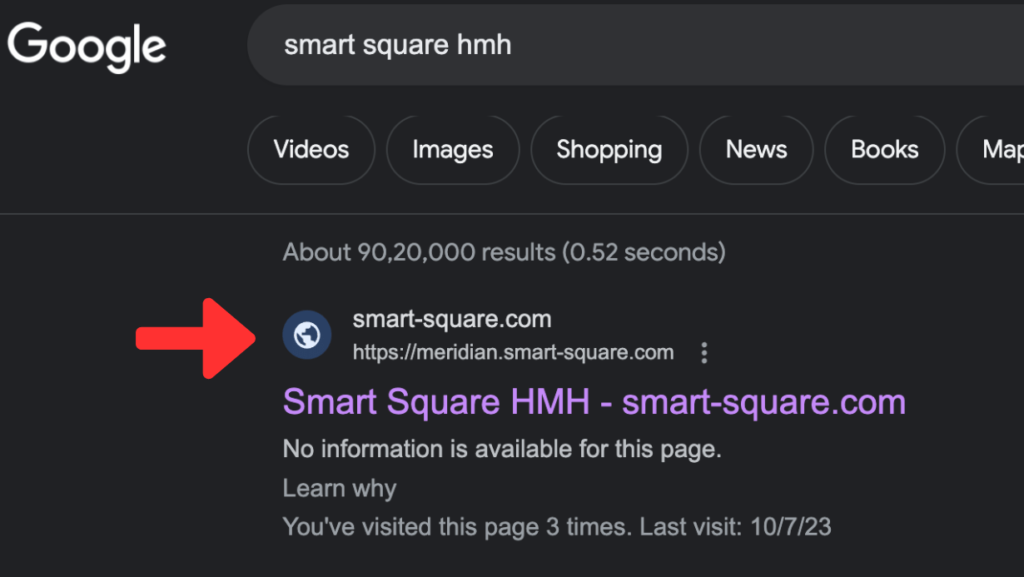
The official login page for HMH staff is hosted at meridian.smart-square.com. Here’s the general process:
- Go to the official Smart Square HMH login page (bookmark it to avoid landing on lookalike sites).
- Choose your sign-in method. HMH typically offers a standard login and an alternate login option, depending on how your account is set up.
- Enter your HMH-issued username and password.
- Complete any additional verification step if prompted, such as a one-time code, since many healthcare systems now layer extra security on top of standard logins.
- Once verified, you’ll land on your dashboard, where your schedule, shift requests, and notifications appear.
If your facility uses single sign-on (SSO), you may not need to enter credentials again if you’re already logged into other HMH systems on the same device.
Also Read: Mental Health Quotes Inspiration for Healing Strength and Emotional Well-Being
A Quick Note on Look-Alike Websites
Because “Smart Square HMH” is a heavily searched term, several unofficial sites have popped up mimicking the real login page or republishing generic guides about it. Always confirm you’re on an HMH-verified domain before entering your credentials, and never enter login details on a site you found through a random ad or unfamiliar link.
What to Do If You Forgot Your Password
Password resets are common, and Smart Square has a built-in process for it:
- Click the “Forgot Password?” link on the login page.
- Enter your registered username or email address.
- Check your inbox (and spam folder) for a reset message.
- Follow the link to create a new password.
- Log back in using your updated credentials.
If the reset email never arrives, or the link has expired, the fastest fix is contacting your facility’s IT help desk directly. They can confirm your account details and reset access manually rather than waiting on an automated email that may be getting filtered.
Common Smart Square HMH Login Issues (and Fixes)
| Issue | Likely Cause | Suggested Fix |
|---|---|---|
| Page won’t load | Browser compatibility or cache issue | Try Chrome or Edge; clear cache and cookies |
| “Invalid credentials” error | Typo, caps lock, or expired password | Double-check entry; reset password if unsure |
| Reset email not received | Spam filter or outdated email on file | Check spam folder; contact IT to verify email |
| Logged in but schedule not updating | Page cache or sync delay | Refresh the page; log out and back in |
| Session keeps timing out | Idle timeout for security | Save work frequently; log back in as needed |
Most login problems come down to browser settings or a simple typo rather than anything wrong with your account, so it’s worth trying the basic fixes first before contacting support.
Browser and Device Support
Smart Square is web-based, so it works across most modern setups, but performance can vary:
- Recommended browsers: Google Chrome and Microsoft Edge tend to give the most consistent experience.
- Also supported: Mozilla Firefox and Safari, though Safari can occasionally behave differently with session cookies.
- Mobile access: A mobile-friendly version is available for on-the-go schedule checks, useful for staff who don’t always have desktop access during a shift.
Keeping your browser updated and clearing your cache periodically helps avoid the slow-loading pages some users report.
What You Can Do Once You’re Logged In
The login itself is just the front door. Once inside, Smart Square gives HMH staff a fairly complete self-service scheduling toolkit:
- View your schedule — daily, weekly, or by pay period.
- Request time off — submit requests and track approval status without paper forms.
- Pick up or swap shifts — see open shifts and request trades with coworkers, subject to manager approval.
- Get notifications — alerts for schedule changes, new open shifts, or approval updates.
- Check staffing forecasts — some facilities use Smart Square’s forecasting tools to show anticipated patient demand, which can affect available shifts.
For employees, the practical value is fewer phone calls and emails just to find out “am I working Thursday?” — most of that information lives in one place.
Is Smart Square HMH Secure?
Smart Square runs on encrypted, credential-based access, and healthcare organizations using it are generally subject to HIPAA-related data handling requirements given the sensitivity of staffing and scheduling data tied to patient care operations. That said, security is a shared responsibility — using a strong, unique password and avoiding shared devices for login goes a long way in protecting your account.
If you ever notice unfamiliar activity on your account, such as shifts you didn’t request or a password change you didn’t initiate, report it to your IT or HR department right away.
Tips to Avoid Login Headaches
A few small habits make the whole process smoother:
- Bookmark the correct login URL instead of searching for it each time.
- Use a password manager, especially if your organization requires long or complex passwords.
- Avoid logging in on public or shared computers when possible.
- Check your schedule regularly rather than only during busy weeks, so changes don’t catch you off guard.
- Keep your contact email on file current, since that’s where password reset links are sent.
Final Thoughts
The Smart Square HMH login process is meant to be simple, but like any workplace system, it comes with the occasional password reset or browser quirk. Knowing the correct login page, keeping your credentials organized, and understanding the reset process can save you real time, especially before an early shift. Once you’re past the login screen, the platform itself does a solid job of putting scheduling information directly in your hands instead of buried in email threads.
Also Read: Smart Square HMH The Complete Employee Guide for 2026
If you’re new to HMH or recently switched facilities, it’s worth spending five minutes exploring the dashboard the first time you log in so you’re not learning it during a busy week.
FAQs
1. What is the official Smart Square HMH login website?
The standard login page for Hackensack Meridian Health staff is meridian.smart-square.com. Always verify you’re on this domain before entering credentials.
2. Why can’t I log in to Smart Square HMH even with the correct password?
This is often caused by browser issues, an expired password, or a temporary system delay. Try clearing your cache, switching browsers, or resetting your password if the problem continues.
3. How do I reset my Smart Square HMH password?
Click “Forgot Password?” on the login page, enter your registered username or email, and follow the reset instructions sent to your inbox. Contact IT support if you don’t receive the email.
4. Can I access Smart Square HMH from my phone?
Smart Square supports mobile access through a browser, and some facilities also offer a dedicated mobile app for quicker schedule checks.
5. Is Smart Square HMH the same as Smart Square Meridian?
Smart Square Meridian” and “Smart Square HMH” generally refer to the same platform used by Hackensack Meridian Health staff; the naming just varies depending on the source.
6. What should I do if I never received my Smart Square HMH account credentials?
New employees should contact their HR or IT onboarding team, since login credentials are typically issued during the hiring or orientation process rather than self-registered.
For more updates visit: FASTER WORLD